notes from my desk
How I Integrated Jev into TaskBuddy | Saurabh Jaykar
Saurabh Jaykar shares how he added Jev priority suggestions to his MERN todo app using FreeJev, with real screenshots, API details, and lessons learned.
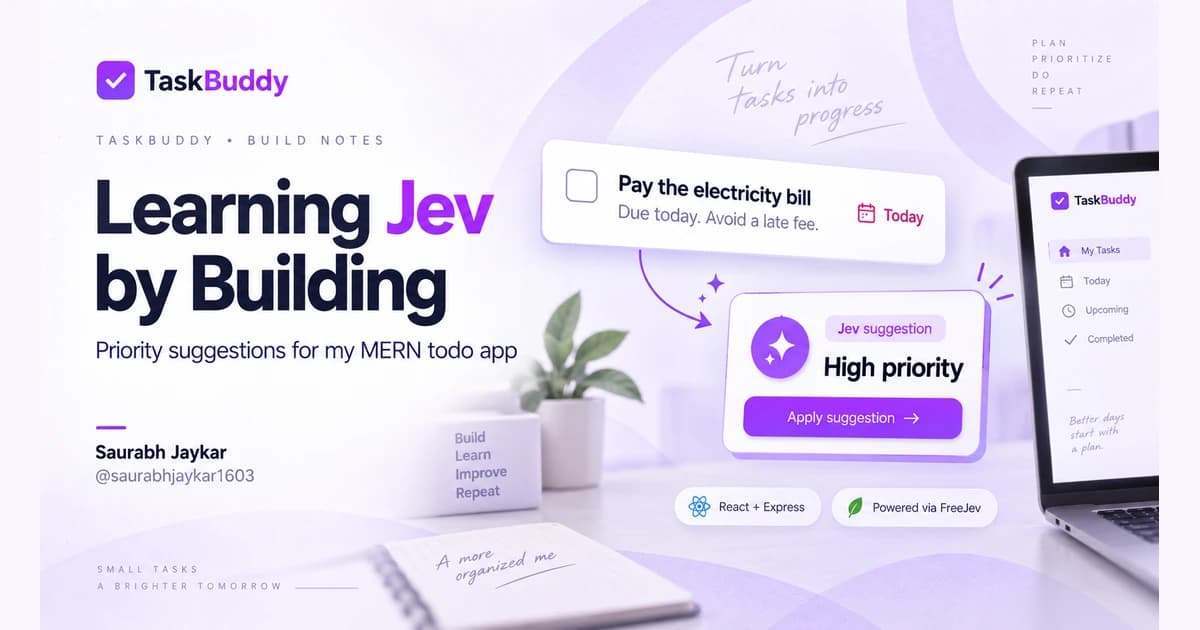
I wanted to understand Jev, and my existing todo app gave me a useful place to start. Instead of leaving the experiment in an API playground, I added a priority suggestion button to TaskBuddy, my MERN task manager.
Within about an hour, I had a working suggestion flow to experiment with. That was enough to start learning how the request, decision criteria, and interface fit together. It wasn't a claim that I had mastered the model or finished every production concern.
I'm Saurabh Jaykar, also known as saurabhjaykar1603 on GitHub. This is a walkthrough of what I built, why I chose this feature, and what happened when I tried everyday tasks. The screenshots below are from my actual TaskBuddy app.
Why I chose Jev for a todo app
TaskBuddy already had a priority dropdown with three options: Low, Medium, and High. It also had task creation, editing, authentication, and MongoDB persistence. I could learn the integration without building an entirely new product around it.
The question was small enough to be useful: given a task's title and description, which of those three priorities fits best?
Jev evaluates supplied information against typed questions. In this feature, I use a Choice question with three defined answers. I receive a structured result that my application can validate and display.
I didn't need a generated paragraph to fill a dropdown. A named choice fit the existing form, and it gave me a clear boundary between the model's suggestion and the user's decision.
The first version follows that boundary throughout: Jev suggests, the user reviews, and the usual Save action persists the task.
The starting point: a task waiting for a suggestion
I started with an electricity bill example:
- Title: Pay the electricity bill
- Description: The payment deadline is today. Missing it will result in a late fee.
The form still lets me select a priority manually. Clicking Suggest priority sends the title and description to the backend. It doesn't save a task or immediately change the dropdown.
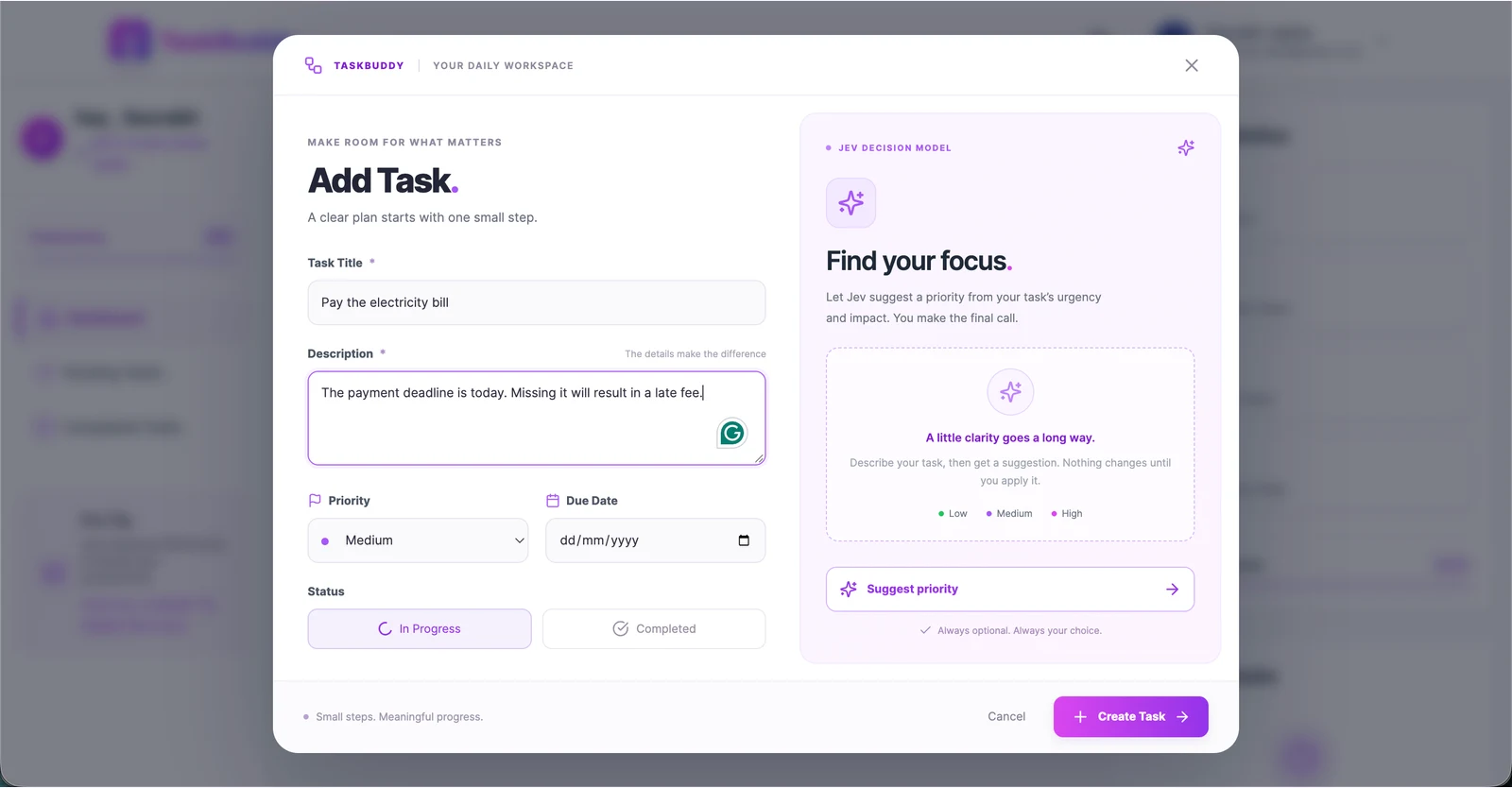
In this screenshot, Medium is selected before the request. That matters because I wanted the result to appear separately, where I could review it before changing anything.
What Jev suggested for the electricity bill
For this example, Jev returned High. The deadline and late fee are both present in the description, so the result made sense for the criteria I supplied.
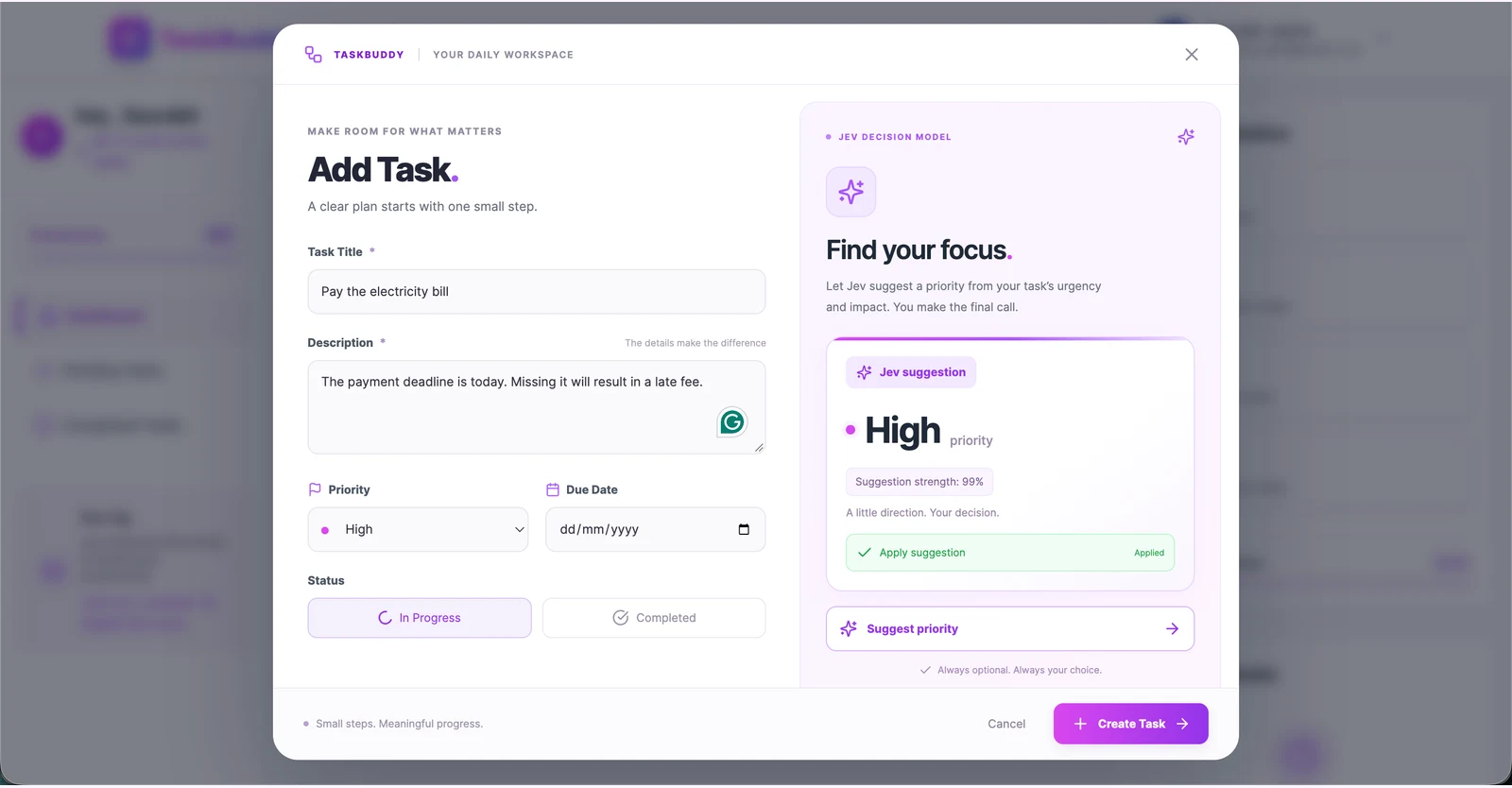
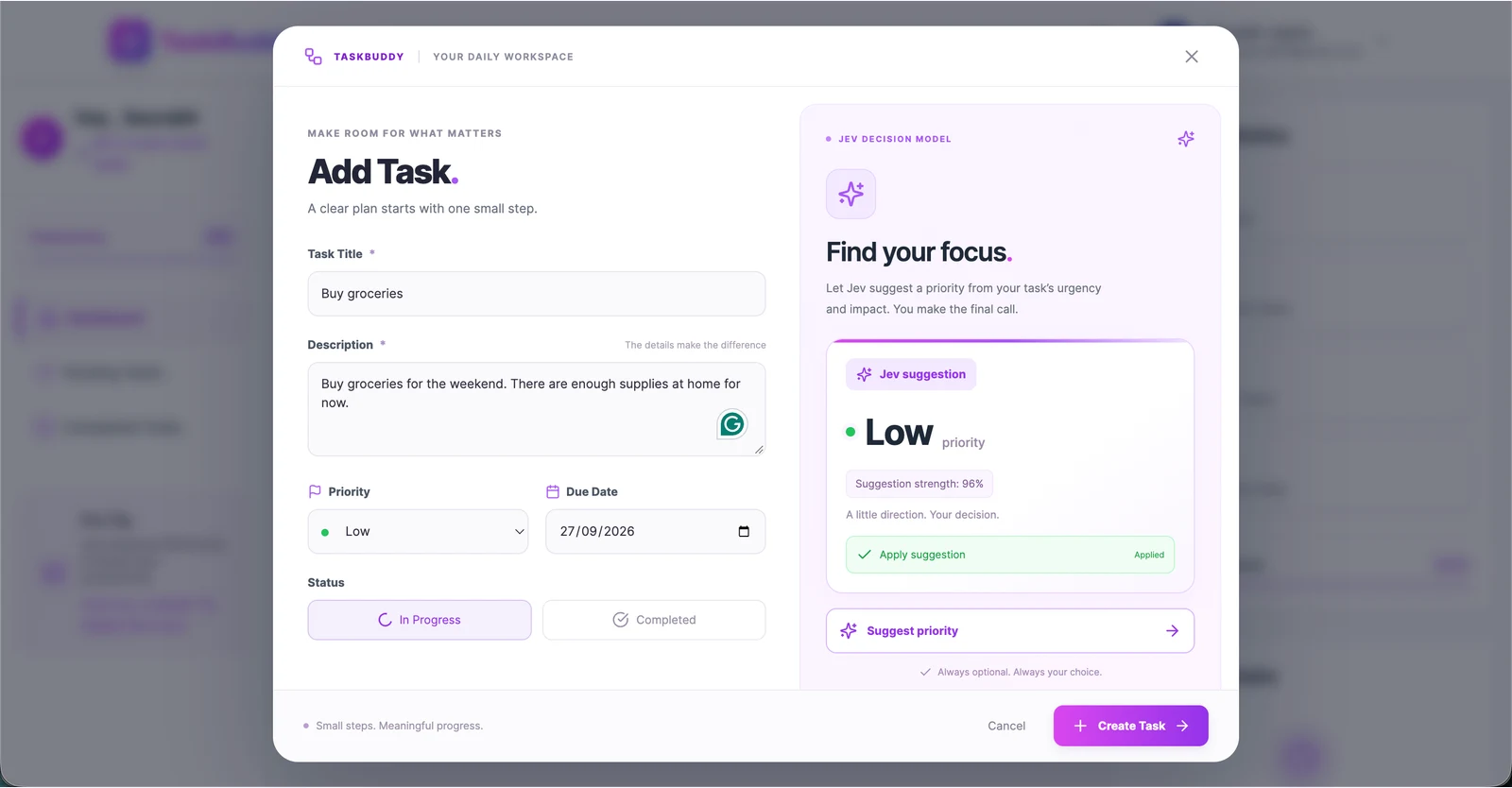
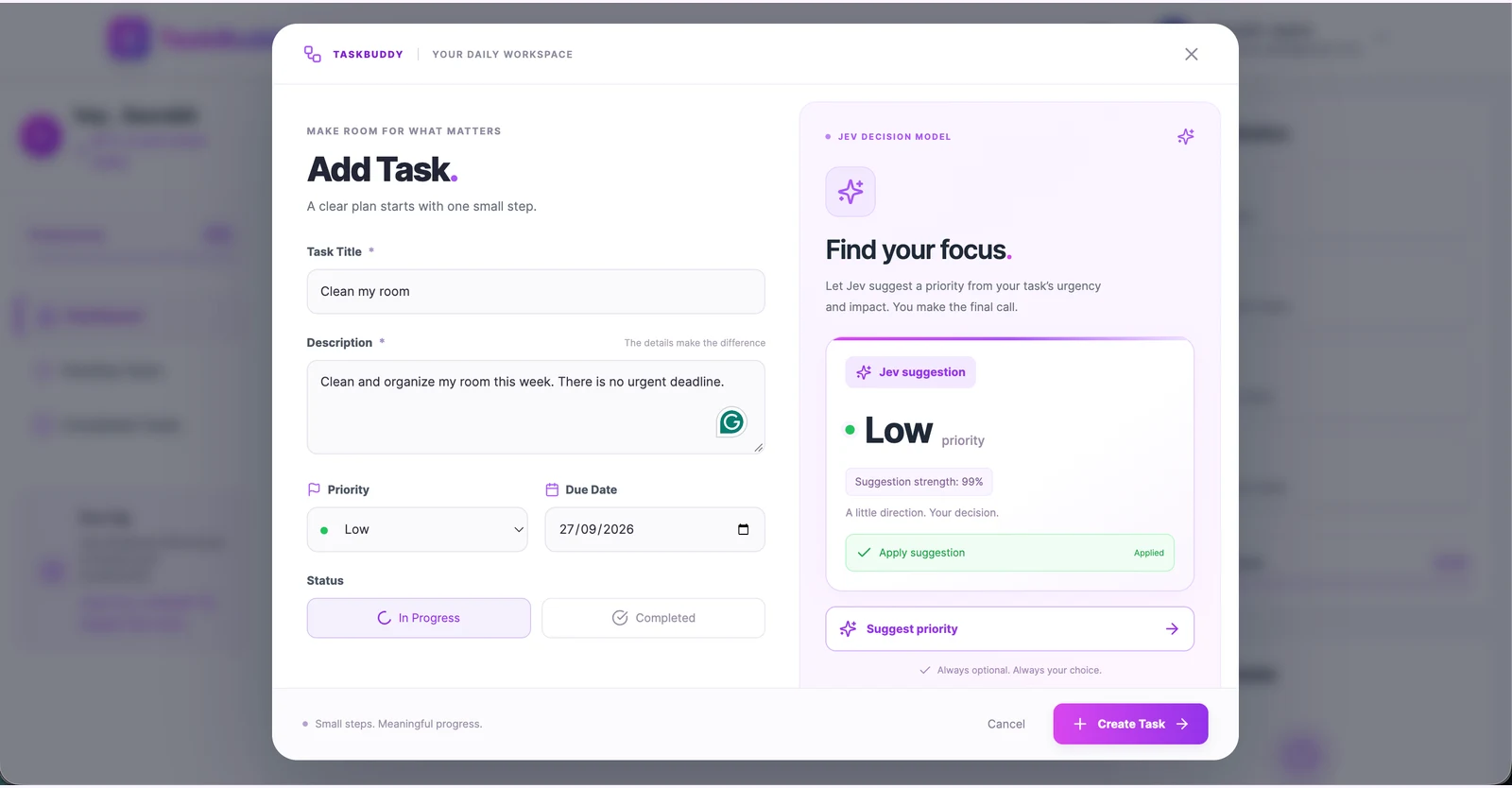
The result card highlights Jev suggestion, followed by the priority. I use Suggestion strength as the interface label for the provider's confidence value. The 99% shown here is the returned confidence rounded for display; it is not a measured 99% accuracy rate.
Applying a suggestion changes the form's selected priority. I can still choose something else before saving. A suggestion request on its own does not create or update a MongoDB task.
The Applied appearance reflects whether the dropdown currently matches the suggested priority. That means matching values can show this state even if I chose the same priority manually.
Trying an assignment with a deadline
Next, I tried a different urgent task:
Submit my assignment — “My assignment is due tonight and still needs a final review before submission.”
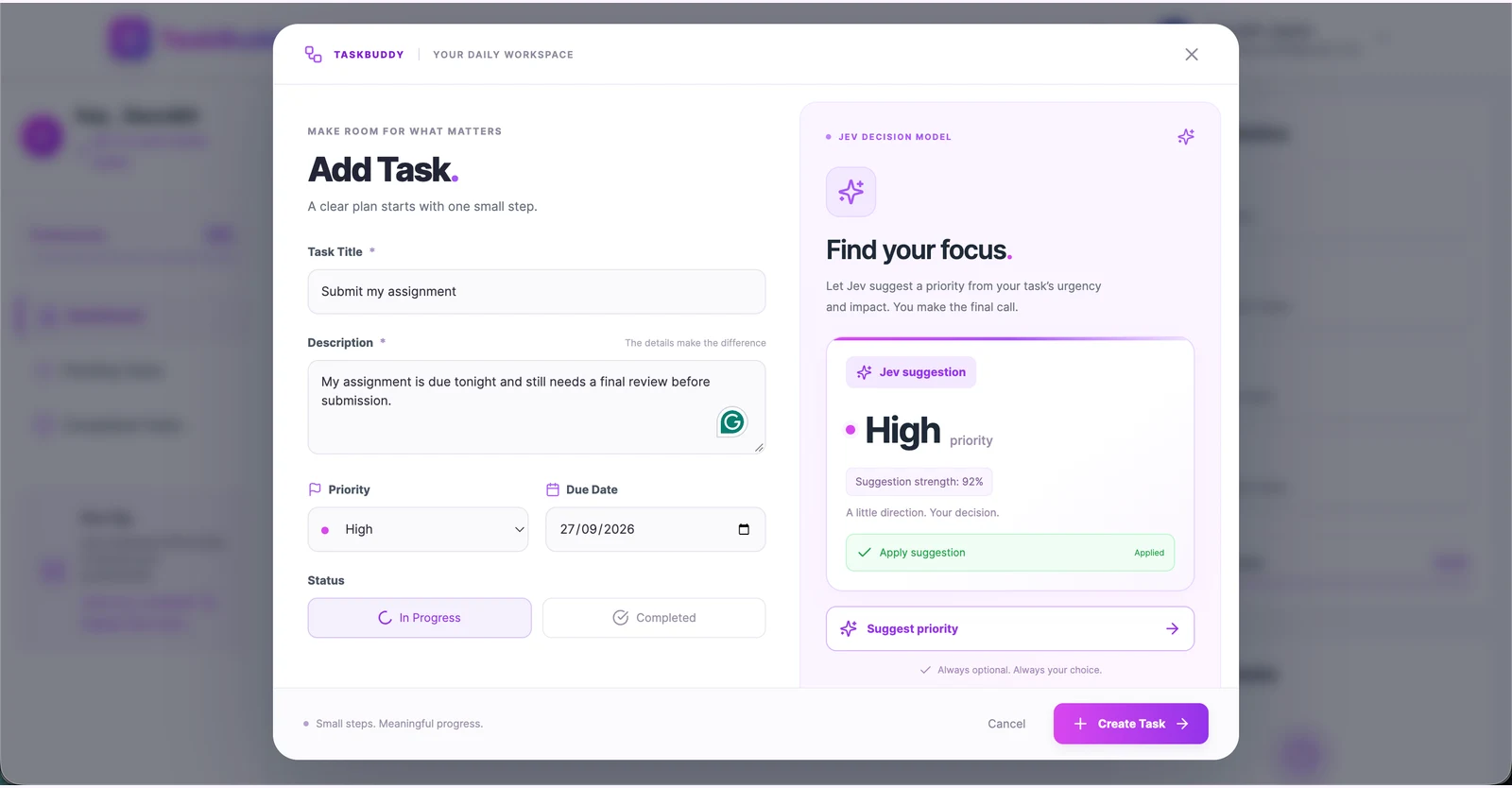
This also returned High, with a different confidence value. These examples helped me check whether the description gave the model enough context to work with.
One implementation detail is easy to miss: the Jev request currently includes the title and description, not the date picker value. “Due tonight” affects the decision because it appears in the description. Setting a date in the form alone does not send that date to Jev.
If I extend this feature later, passing the due date and defining how it should affect urgency would be a useful next step.
Checking tasks that could wait
I also wanted to see results for tasks without an immediate consequence. Only testing urgent examples would tell me very little about the integration.
For Buy groceries, I wrote: “Buy groceries for the weekend. There are enough supplies at home for now.” Jev returned Low.
For Clean my room, I wrote: “Clean and organize my room this week. There is no urgent deadline.” That also returned Low.
For Organize old photos, the description was: “Sort old photos into folders whenever I have spare time.” The returned priority was Low.
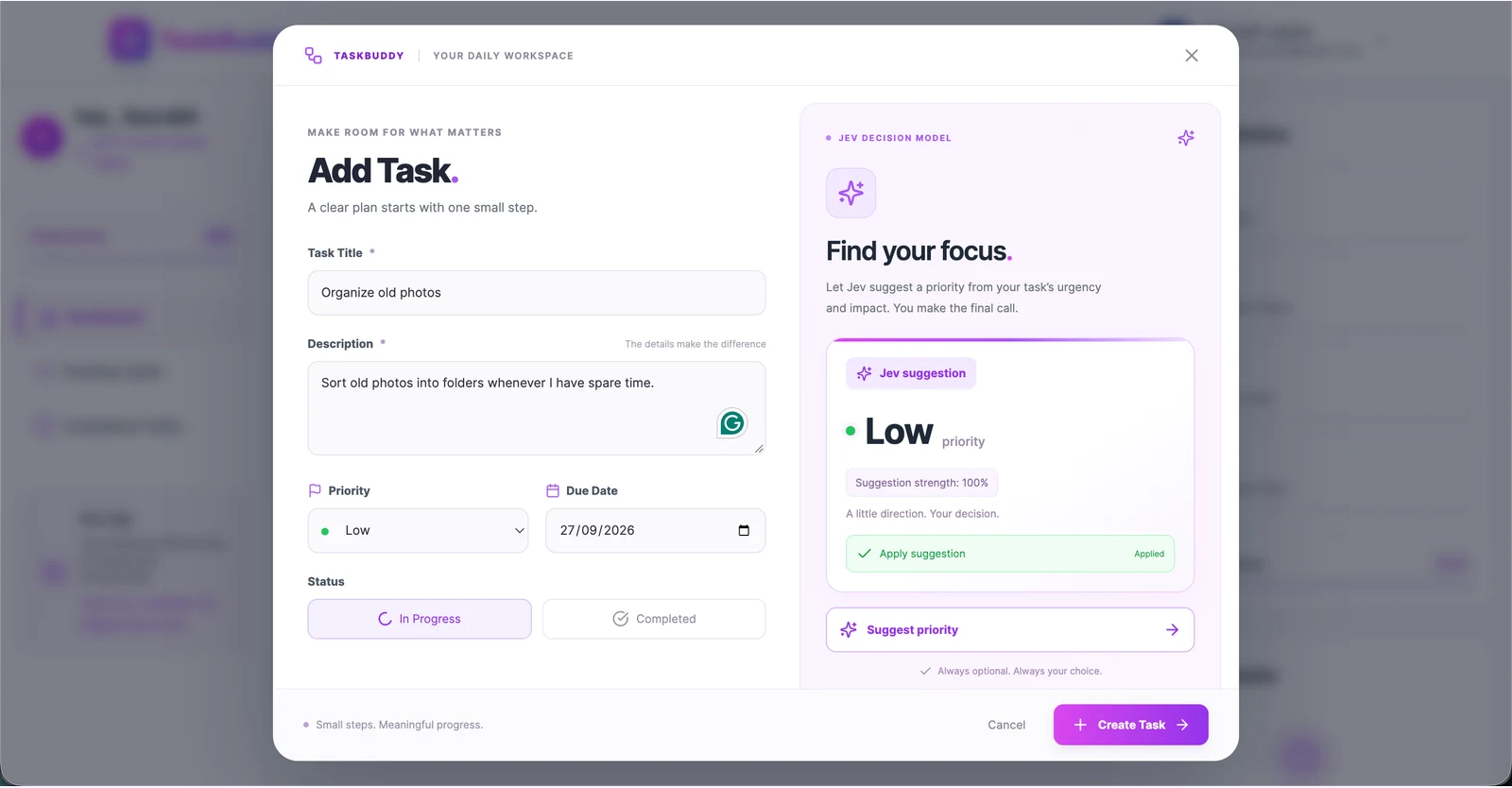
These are a few observed results from my experiment, not a benchmark. I still need more ambiguous tasks and Medium-priority examples to assess whether the criteria are useful across a broader range of inputs. Future requests may also return different results.
How the React and Express integration works
The frontend lives in TaskModal.jsx. Suggestion state is separate from the task form and its saving state. That lets me display a result without changing the selected priority, and show a recoverable error without preventing manual task creation.
The browser calls an authenticated endpoint:
POST /api/v1/ai/suggest-priority
It sends JSON containing the current title and description, along with the existing TaskBuddy login token. The FreeJev API key stays in the backend environment.
The backend processes that request in three steps:
- The authentication middleware verifies the TaskBuddy JWT.
- The controller trims and validates the input: a required title up to 200 characters and an optional description up to 5,000 characters.
- The provider service sends the state and priority question to the selected provider, then validates the returned answer.
For the question, I defined these criteria:
- Low: optional or routine work with minor impact and no stated urgency.
- Medium: normal important work with meaningful impact, without evidence of urgent, significant consequences.
- High: urgent work with significant consequences if delayed.
The instructions tell Jev to treat the task text as data and avoid inventing urgency or consequences that weren't supplied. Defining criteria is configuring an existing model's decision request; it isn't training a new model.
A successful response from my backend has this shape:
{
  "success": true,
  "priority": "High",
  "confidence": 0.85
}
The numbers in this JSON are illustrative. The screenshots show the values from the actual examples above.
The service also checks the provider's answer type, allowed choice, confidence range, and probabilities. If the provider returns invalid data, the app shows an error rather than trying to display it as a valid suggestion.
The small details around the API call
The API request was only part of the feature. I also needed to handle what a user could do while waiting for it.
If I ask for a suggestion and then edit the title, the original response belongs to an older draft. The frontend cancels or invalidates that request. A request-version check prevents a late response from appearing on the new draft. Closing the modal, switching tasks, and submitting the form also clear pending suggestions.
The backend limits the provider operation to 10 seconds and does not automatically retry it. Disabled integration, a missing key, provider failures, and timeouts have separate error responses. Users can continue selecting priorities manually when suggestions are unavailable.
I kept the UI in TaskBuddy's existing purple theme. On desktop, the suggestion has its own panel. On mobile, I reduced it to the action and a compact result card, because the task form should remain easy to use on a small screen.
Using FreeJev to try the integration
I used FreeJev for this experiment. As of September 27, 2026, it advertises 10,000 one-time signup credits, no credit card required, and access through a playground and API.
FreeJev is an independent third-party service, not the official TypeSafe service. The free allowance is limited and shared by playground and API calls. Creating another key does not add credits. Check the current documentation and allowance before using it.
My backend configuration looks like this, with the real key kept private:
JEV_ENABLED=true
JEV_PROVIDER=freejev
FREEJEV_API_KEY=your_private_key
The service calls https://freejev.org/api/v1/decisions. I also kept a direct TypeSafe provider option, but the live examples in this article use FreeJev.
If you're learning, start with a small question in the playground, define your options clearly, and then reuse the same question in your application. Keep the key on the server.
When I would add Jev to another feature
This experiment was useful because the application already knew which answers it could accept. Priority suggestion is one example; another could be routing a support ticket or classifying feedback into defined categories.
I would consider Jev when a feature needs a judgment from supplied text and has clear possible outcomes. I would still keep ordinary validation and permissions in application code, and decide explicitly whether a result should be reviewed or allowed to trigger an action.
For TaskBuddy, review makes sense. Priority is personal, and a short description may leave out context. The model can help me choose without taking away the dropdown.
What I learned and what remains
Getting a working example within about an hour helped me understand the request format. The surrounding behavior took attention too: response validation, cancellation, keeping credentials private, and preserving the normal form workflow.
The integration has mocked backend and frontend checks, and I've exercised real FreeJev suggestions in the authenticated app. A database read-back after saving a suggested priority still needs to be recorded separately. The screenshots demonstrate suggestions and selected form values; they don't prove database persistence.
Next, I want to try ambiguous descriptions, more Medium-priority examples, and a defined approach to passing due dates. Those would teach me more than collecting only obvious High and Low results.
If you want to explore the implementation, the TaskBuddy repository is where I maintain the project. The implementation guide lives at server/docs/JEV_IMPLEMENTATION.md and covers setup, API contracts, provider behavior, and verification steps.
I'm Saurabh Jaykar. You can explore my other projects, find me on GitHub as saurabhjaykar1603, or connect on LinkedIn. I'll use this blog to document what I learn while building features like this one.